Select offer type
Apr 9, 2026
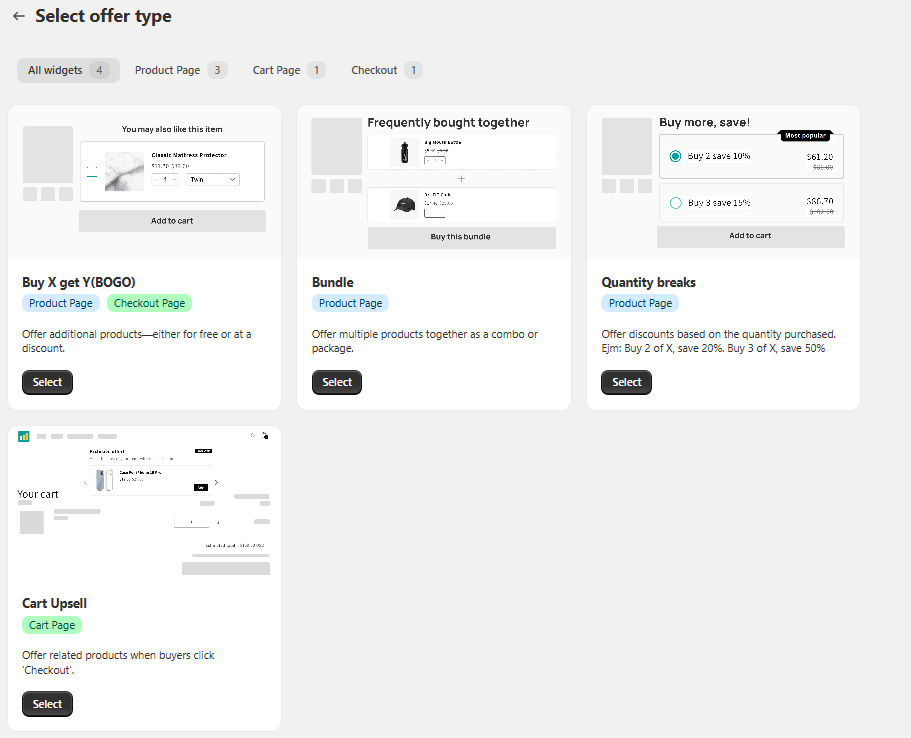
The “Select offer type” screen in the BOGOX Free Gift application allows merchants to choose the type of promotion they want to implement in their Shopify store. This section serves as the starting point for configuring sales strategies aimed at increasing cart value and improving conversion rates.
General Structure
At the top, there are filters based on the offer placement:
- All widgets: Displays all available promotion types.
- Product Page: Offers shown on the product page.
- Cart Page: Promotions applied in the cart.
- Checkout: Offers displayed during the checkout process.
Each offer type is presented as a visual card with a preview of how it will appear in the store.
1. Buy X get Y (BOGO)
Allows offering additional products for free or at a discounted price when a purchase condition is met.
Location: Product Page / Checkout Page
Use case: Encourage bundled purchases or promotional gifts.
Example: Buy 1 product and get another one free or at a discount. 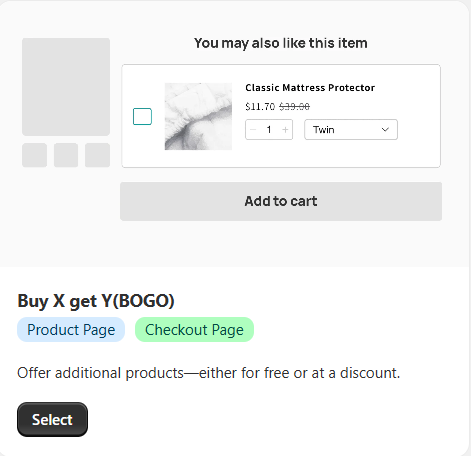
2. Bundle
Allows grouping multiple products into a package with a special price.
Location: Product Page
Use case: Increase the average order value through bundled sales.
Example: Purchase several products together at a discounted price.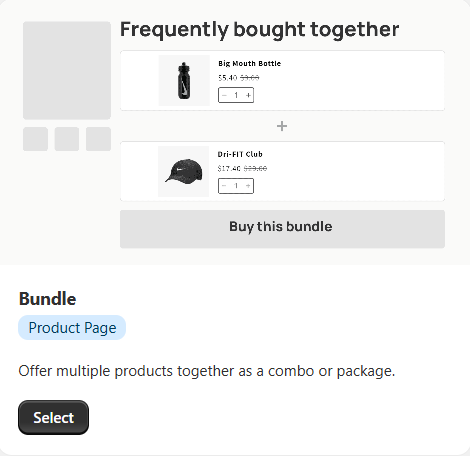
3. Quantity Breaks
Offers progressive discounts based on the quantity purchased.
Location: Product Page.
Use case: Encourage bulk purchases.
Example: Buy 2 and get 10% off, buy 3 and get 15% off.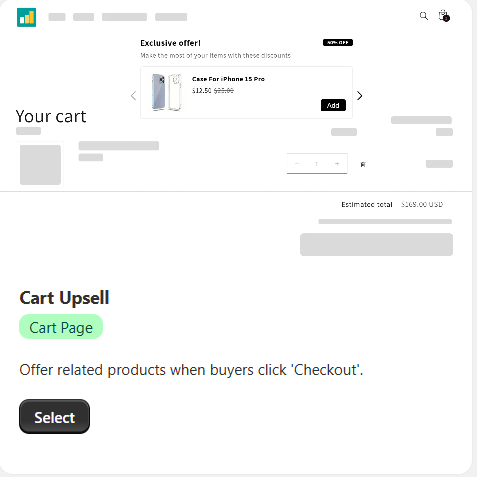
4. Cart Upsell
Suggests additional products directly in the cart before checkout.
Location: Cart Page
Use case: Increase impulse purchases before completing the order.
Example: Display related products when the user clicks “Checkout.”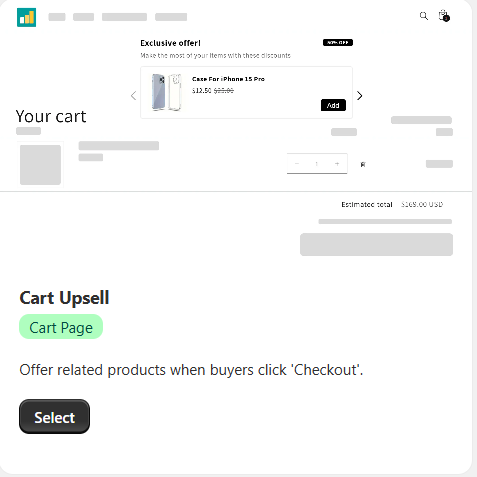
Interaction
Each card includes a “Select” button, which allows users to start configuring the chosen offer type. The interface is designed to be visual and intuitive, making it easy to understand how each promotion will behave before implementing it.