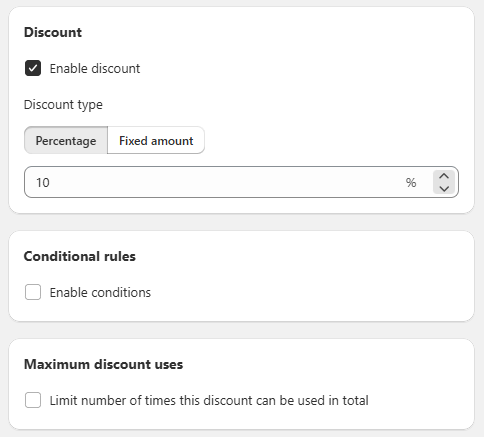
General Settings Sección: Discount & Conditional Rules
Apr 6, 2026
This section allows you to configure the type of discount applied to the promotion and set additional rules to control its behavior.
Discount
In this section, you define the benefit that the customer will receive as part of the promotion:
- ☑️ Enable discount:
Enables or disables the application of the discount in the offer. - Discount type:
Allows you to choose how the discount will be applied:- Percentage: Applies a percentage discount to the offered product.
- Fixed amount: Applies a fixed value discount.
- Discount value:
Field where you set the discount value (e.g., 10%).
Includes controls to adjust the value precisely.
Conditional Rules
This block allows you to add additional conditions to the offer:
- Enable conditions:
When enabled, you can define specific rules that must be met for the promotion to apply.
These conditions can be used to segment the offer or make it more dynamic based on different purchase criteria.
Functional Summary
This section allows you to:
- Define the type and value of the discount applied to the promotion.
- Enable or disable the benefit.
- Set conditional rules for greater control over when and how the offer is applied.