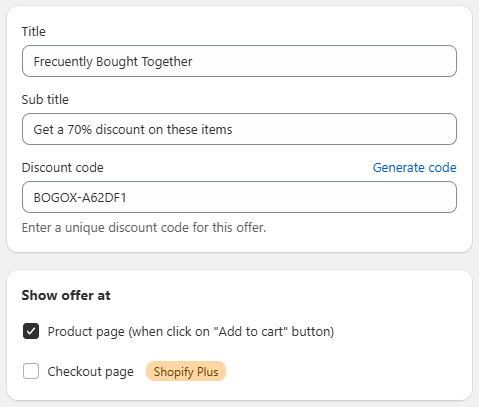
General Settings Section: Title - Sub title - Discount code
Apr 4, 2026
The General section within the process of creating a Buy X Get Y offer allows you to define the basic elements that describe and activate the promotion in the store.
Configuration Fields
In this block, the main details of the offer are configured:
Title:
Defines the visible name of the promotion. This title will be displayed to customers in the store (e.g., “Frequently Bought Together”).
Sub title:
Allows you to add a brief description that complements the offer, highlighting the benefit (e.g., “Get a 70% discount on these items”).
Discount code:
Field used to enter a unique discount code associated with the promotion.
Includes the “Generate code” option to automatically create a code.
The code must be unique to avoid conflicts with other active promotions.
Offer placement (Show offer at)
This section allows you to define where the offer will be displayed within the purchase process:
☑️ Product page:
Displays the offer directly on the product page, typically when interacting with the “Add to cart” button.
☐ Checkout page (Shopify Plus):
Allows the offer to be displayed during the checkout process.
⚠️ This option is only available for stores using Shopify Plus.