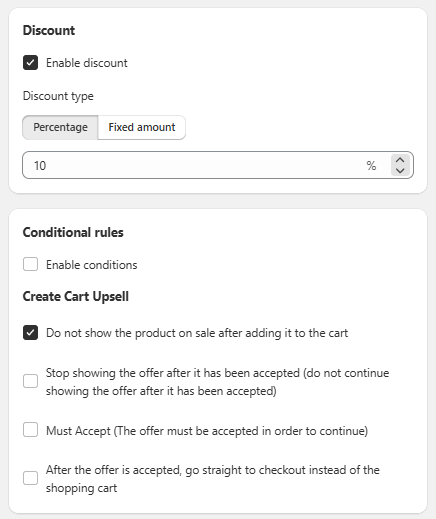
General Settings Sección: Discount - Conditional rules - Create Cart Upsell
Apr 15, 2026
This section allows you to configure the upsell discount and define behavior rules within the cart.
Discount
Defines the benefit applied to the offer:
-
☑️ Enable discount:
Enables or disables the discount. -
Discount type:
Allows you to choose the type of discount:- Percentage: Percentage-based discount.
- Fixed amount: Fixed value discount.
-
Discount value:
Defines the value of the discount (e.g., 10%).
Conditional rules
Allows you to add additional conditions:
-
☐ Enable conditions:
Activates advanced rules to control when the offer is applied.
Cart Upsell Behavior
Configures how the offer behaves in the cart:
-
☑️ Do not show the product on sale after adding it to the cart:
Prevents the product from continuing to appear as an offer after it has been added. -
☐ Stop showing the offer after it has been accepted:
Hides the offer once it has been accepted. -
☐ Must Accept:
Requires the customer to accept the offer in order to continue. -
☐ After the offer is accepted, go straight to checkout:
Redirects directly to checkout after the upsell is accepted.
Functional Summary
This section allows you to:
- Configure the type and value of the upsell discount.
- Set conditional rules.
- Control the behavior of the offer within the cart to optimize conversion.