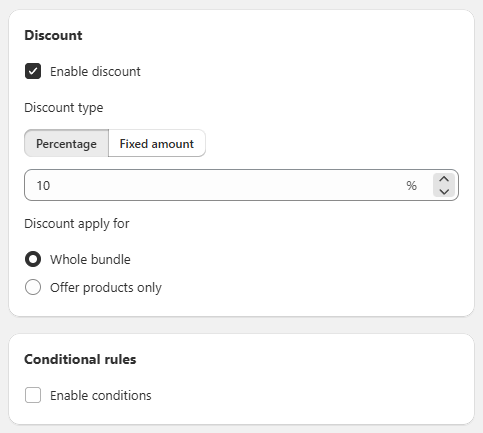
General Settings Sección: Discount - Conditional Rules
Apr 14, 2026
This section allows you to configure the discount applied to the bundle and define additional rules to control its behavior.
Discount
In this section, the bundle benefit is defined:
- Enable discount: Enables or disables the discount for the offer.
- Discount type: Defines how the discount will be applied:
- Discount type:
Defines how the discount will be applied:
- Percentage: Percentage-based discount.
- Fixed amount: Fixed-value discount.
- Discount value: Allows you to enter the discount value (e.g., 10%).
- Discount apply for:
Defines where the discount will be applied:- 🔘 Whole bundle: Applies the discount to the entire bundle.
- ⚪ Offer products only: Applies the discount only to the products included in the offer.
Conditional rules
Allows you to add additional conditions to the promotion:
☐ Enable conditions:
When enabled, you can define specific rules to control when the bundle is applied.
Functional Summary
This section allows you to:
- Define the type and value of the bundle discount.
- Choose whether the discount applies to the entire bundle or only to the offered products.
- Configure conditional rules for greater control over the promotion.