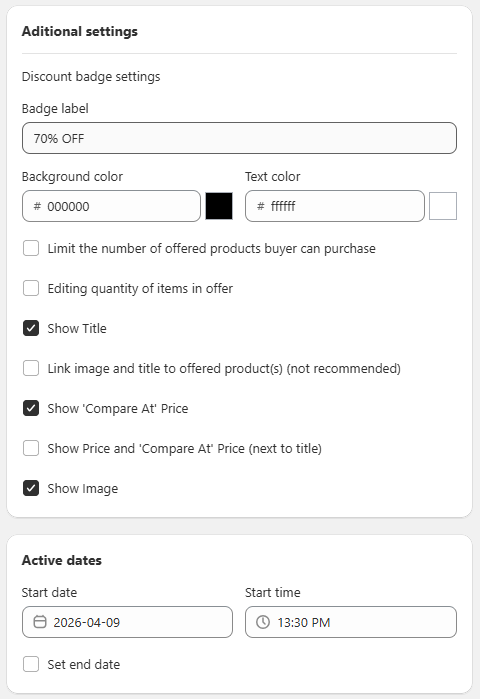
General Settings Sección: Additional Settings & Active Dates
Mar 25, 2026
This section allows you to customize the appearance of the offer, control certain visual behaviors, and define the promotion’s activation period.
Additional settings
In this section, you can configure visual and behavioral options for the offer:
Discount badge settings:
Allows you to customize the visual discount badge displayed to the customer.
- Badge label: Text shown on the badge (e.g., “70% OFF”).
- Background color: Background color of the badge.
- Text color: Text color of the badge.
Limit the number of offered products buyer can purchase: Restricts the number of promotional products a customer can purchase.
Editing quantity of items in offer: Allows the customer to modify the quantity of items within the offer.
Show Title: Displays the offer title in the interface.
Link image and title to offered product(s) (not recommended): Allows the image and title to link to the offered product(s).
Show 'Compare At' Price: Displays the original price alongside the discounted price.
Show Price and 'Compare At' Price (next to title): Displays both prices next to the product title.
Show Image: Enables the display of product images within the offer.
Active dates
This section defines when the promotion will be available:
- Start date: The date when the offer begins.
- Start time: The exact time when the promotion will start.
- Set end date: Allows you to define an end date for the offer. If not enabled, the promotion will remain active indefinitely.
Functional Summary
This section allows you to:
- Customize the visual appearance of the offer (badge, colors, displayed information).
- Control customer interaction with the promotional products.
- Define the promotion’s active period using dates and times.